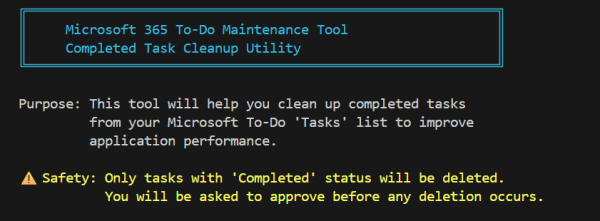
Over the years, I’ve come to rely heavily on Microsoft To Do as my daily task manager. It’s simple, it syncs across devices, and it integrates nicely with the rest of Microsoft 365. But like many tools we use every day, it has its limits—and I recently ran headfirst into one. I had accumulated thousands... Continue Reading →
2 tips for working with Web Project Folders, CMD Window and Visual Studio Code
With modern web development I find I'm using Visual Studio code as my IDE the majority of the time. During a recent developer bootcamp I shared the way I open projects and realised that some of the techniques I use wasn't common knowledge. With web project in Visual Studio Code (VSCode) you need to open... Continue Reading →
How to edit Markdown files in VSCode with live preview of changes
Visual Studio Code (VSCode) is a great tool for editing Markdown files. It's not immediately obvious that VSCode comes out of the box with the capability to preview Markdown files and even provide a side by side live preview view so you can see the result as you are modifying the file. In VSCode opening... Continue Reading →
How to fix mouse cursor disappearing in Visual Studio & Visual Studio Code
This is a problem I have come across each time I build a new virtual development machine with Visual Studio on it. The problem has been around for a few years now and I always have to search around for the steps to fix it each time it catches me. I’ve seen this issue in... Continue Reading →
How to Avoid Chrome Security Issues Developing Office Add-in Hosted on localhost
When developing add-ins for Office you are often serving the add-in from a local web server on a URL using the host name “localhost”. Office add-ins also require the web server to use SSL to serve the resources for the add-in. The Chrome security implementation will fire off a security error under most common development... Continue Reading →
How to avoid errors installing npm packages globally in Visual Studio Code
I like to use the Integrated Terminal Window inside Visual Studio Code, just because it’s there and it runs commands scoped to the project directory I’m in. I find it faster and more convenient than opening up another command windows or nodejs command window and then having to set the current directory to my project... Continue Reading →