Changes to how you sideload an Outlook add-in manifest (as of Sep 2023)
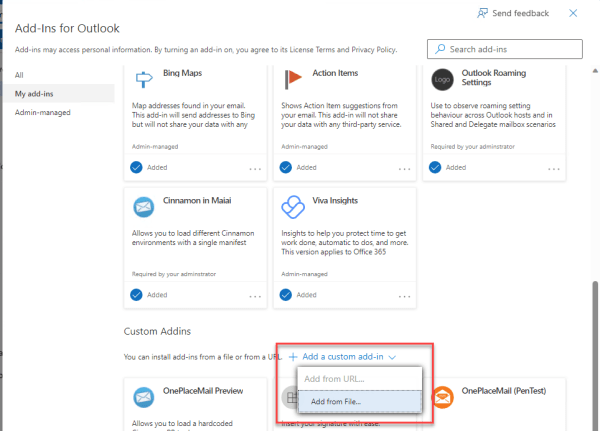
What is sideloading an Outlook add-in? This is the process of installing a modern web-based add-in directly from an add-in manifest file rather than from the store (AppSource). Sideloading is a common practice for developers during the development and testing of their add-in. It can also be used for Enterprise applications which are developed in-house... Continue Reading →

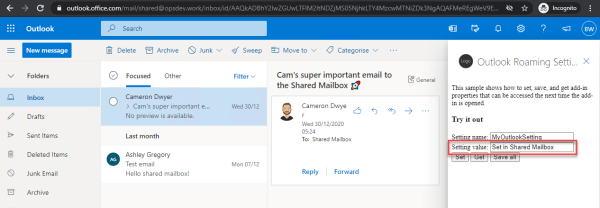
Outlook Add-in Roaming Settings Behaviour and Shared Mailboxes

Roaming Settings are a feature of the Office Add-in Model (Office.js) and provide a persisted storage object that your add-in can use. The Office Add-in model takes care of storing the settings and making them available as users move onto different devices or different hosts (Desktop Outlook vs Web Browser for example). This works as... Continue Reading →

Primer for Modern Office Development – start your journey here

Lets start with a little bit of history, the year was 2008, Windows PCs and Microsoft Office had been entrenched throughout organizations around the globe. We saved all our files on a network drive (if we were smart), or SharePoint if we were really smart and had a dedicated engineer that could keep up with... Continue Reading →

Bug in Outlook add-in commands showing command label instead of the add-in title on first use in a session

It seems there is a bug with the Outlook add-in commands when using the add-in from Outlook Web Access. When using the add-in command (ribbon button) to open a task pane to show your add-in the label of the command button is shown at the top of the add-in where the add-in title should be.... Continue Reading →

Create a website or blog at WordPress.com

Up ↑