We are living through the age of digital transformation, where businesses are finding new and novel ways to embrace technology to change processes and gain competitive advantages. This has seen almost all of our once paper based documentation make it's way into digital form. The core Office product suite of Word, Excel, PowerPoint and Outlook... Continue Reading →
Top 6 Fiddler tips for developers
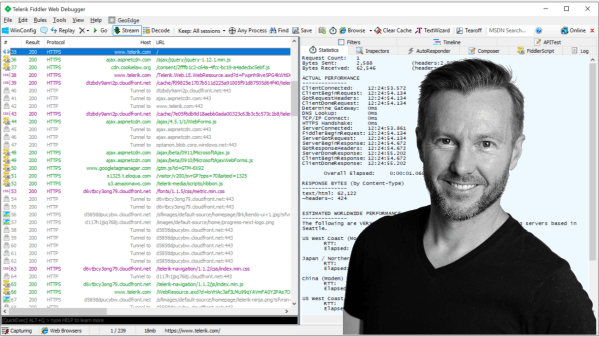
Fiddler is one of those development tools that makes me wonder what I did before it was around. If you've been hiding under a rock for the last decade (or just getting into web development) Fiddler is a web debugging proxy and it's super useful for developers to see all the HTTP network traffic. Once... Continue Reading →
How to enable CodeLens for viewing Application Insights telemetry directly in Visual Studio for Web API projects
I had been using Application Insights for a while with a Web API project and found it immensely valuable for monitoring how the Web API was performing and discovering any issues in production. I only recently stumbled across the fact that for ASP.NET projects, the Application Insights telemetry is surfaced and available in your source... Continue Reading →
Azure App Service: My Experience with Auto-Scale In Failing
This is the continuation of my experience with testing the auto-scaling capabilities of the Azure App Service. The first post dealt with scaling out as load increases, and this post deals with scaling back in when load decreases. On the Scale Out blade of the App Service Plan you can see the current number of... Continue Reading →
Azure App Service: My Experience with Auto-Scale Out
I was recently testing the automatic scaling capabilities of Azure App Service plans. I had a static website and a Web API running off the same Azure App Service plan. It was a Production S1 Plan. The static website was small (less than 10MB) and the Web API exposed a single method which did some... Continue Reading →
What are Microsoft Teams Messaging Extensions and why you should consider building one
It's no secret that I think Microsoft Teams is an awesome product. I've written in the past about how I believe Teams is a great enabler for making people more productive and brings the right tools together in a place that makes a lot of sense. What are messaging extensions? Message extensions are available when... Continue Reading →
Office Add-in Manifest Updates – Deployment timing and potential URL issues
One of the critical components of an Office Add-in is the add-in manifest. This is the xml file that describes how your add-in should be activated when an end user installs and uses it with Office documents and applications. This manifest contains references to URLs where your web application resides and also to other resources... Continue Reading →
Allowing different Azure AD app registration permission sets for a single app (user and elevated admin consent) using the v1 auth model
With Azure Active Directory Application Registrations there are two versions of authentication model available. v1 - all the permission scopes that your app may require must be consented to by the user up front. v2 - permission scopes can be asked for dynamically as your app is running, if the user hasn't already consented to... Continue Reading →
How to Inspect Dynamic HTML Elements (that keep disappearing!) in Chrome
I still find styling HTML elements difficult at times, trying to figure out where the styling is being inherited from and exactly which elements I need to apply styles to. The Developer Tools in Chrome go a long way to assisting with this. For this tip I'll assume you are familiar with Chrome Developer Tools... Continue Reading →
I’m talking modern Office add-in development at this months Sydney SharePoint User Group
The Transition to Modern Office Add-in Development Microsoft SharePoint is developed by the same team responsible for the Microsoft Office desktop applications. There has always been a strong connection between these products. Up until recently, developers who wanted to integrate Word, Excel, PowerPoint with SharePoint would use the COM add-in model. But now Microsoft has... Continue Reading →