Microsoft reached the General Availability (GA) milestone for New Outlook for Windows on 1 August 2024. Moving a product from Preview to General Availability means a few things in the eyes of Microsoft: Microsoft does not recommend Preview products for production use, but once it goes GA that is Microsoft saying it is now ready... Continue Reading →
New Outlook for Windows – Deployment Timeline and Considerations
The purpose of this article is to clarify the changes being made to Outlook for users on Windows and what we can expect to see as these changes progress. Firstly let's do a quick lap around the different Microsoft Mail clients on Windows. Mail & Calendar App This is the free Mail & Calendar App... Continue Reading →
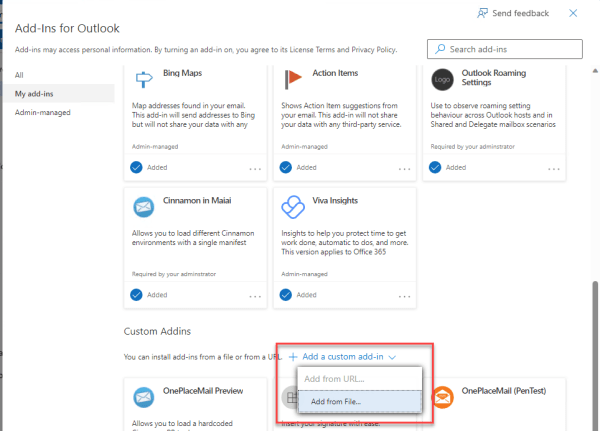
Changes to how you sideload an Outlook add-in manifest (as of Sep 2023)
What is sideloading an Outlook add-in? This is the process of installing a modern web-based add-in directly from an add-in manifest file rather than from the store (AppSource). Sideloading is a common practice for developers during the development and testing of their add-in. It can also be used for Enterprise applications which are developed in-house... Continue Reading →
Outlook Add-in Ribbon Commands: Resolution to Manifest XML Schema Errors
While taking a look at the new Outlook Addin Ribbon Commands I came across these schema validation errors trying to deploy the addin once I added the VersionOverrides element. In particular I was getting this error message: Failed to deploy the manifest file to the Exchange server. This app can't be installed. The manifest file doesn't conform... Continue Reading →
White Paper – SharePoint 2013 Site Mailboxes
Microsoft SharePoint 2013 has introduced a new concept called Site Mailboxes to help bring together Microsoft SharePoint and Exchange content within Microsoft Outlook 2013. SharePoint Site Mailboxes provide many benefits and also have their limitations. This White Paper: SharePoint 2013 Site Mailboxes - Overcome their Limitations looks at Site Mailboxes and how they can be... Continue Reading →
SharePoint Document Sets – Saving emails & documents
This new video is a great starting point for getting the most out of OnePlaceMail if you are looking to store related Email and Documents in Documents Sets in SharePoint 2010. The video shows SharePoint 2010 Documents Sets being used as a container to store email messages and documents for projects/tasks. The screencast shows interacting... Continue Reading →