Do you have a bank of prompts you copy/paste into the Cursor chat when you want to achieve a specific task?
Maybe it’s when you want to do a code review, maybe it’s when you want it to write unit tests for some new code, maybe it’s when you what it to add OpenAPI specification for new or modified endpoints.
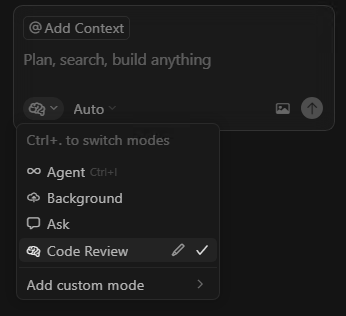
Cursor Custom Modes (in beta) now makes this super easy. By default, in the AI chat window you can switch between the default modes of Agent, Background or Ask.
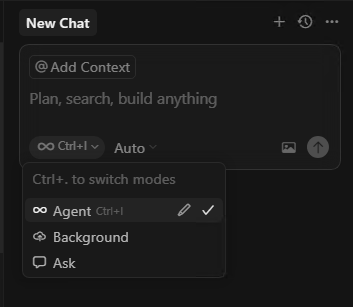
Wouldn’t it be great if you could add additional modes here where you can specify you own prompt and quickly switch to it? Well that’s what Custom Modes are + more!
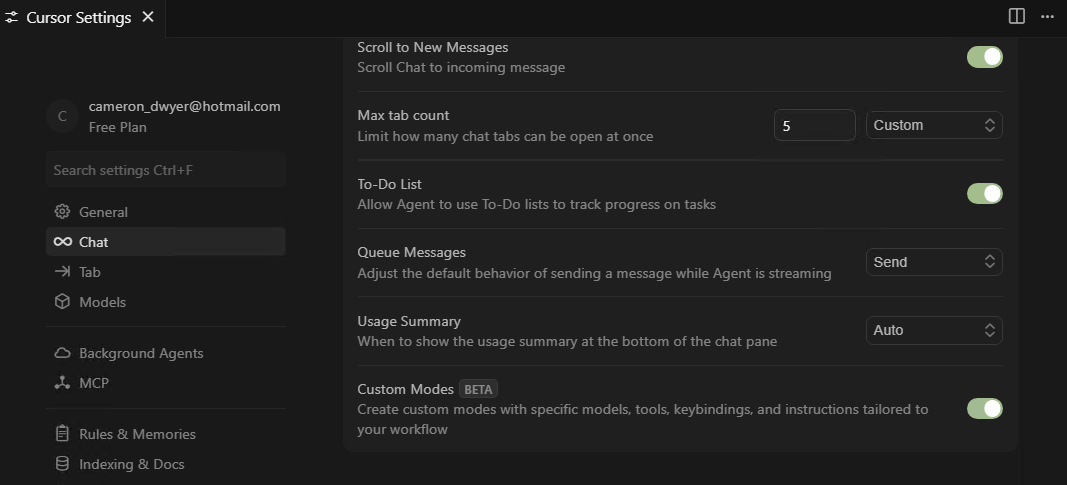
Custom Modes are current in BETA, you can enable them in Cursor Settings | Chat | Custom Modes
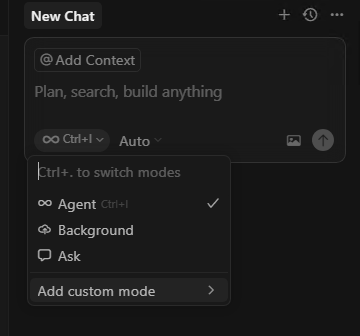
As soon as you’ve enabled Custom Modes you will now have a new option when switching modes to Add custom mode (this gets enabled immediately, no need to restart Cursor)
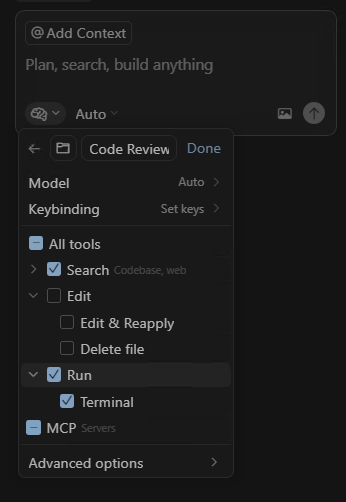
I’ll go through some of the options with the example of setting up a mode for performing code reviews.
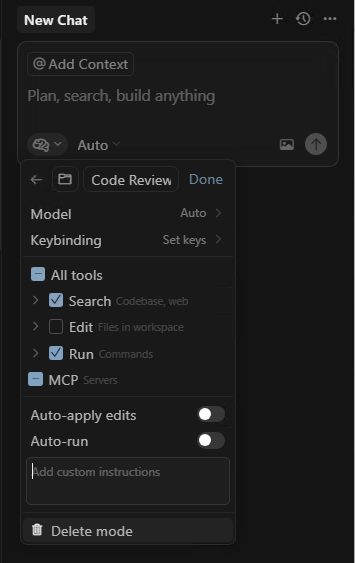
First provide the custom mode name (I’ve set mine to ‘Code Review’), then you can choose to set the model. You can choose a specific model or select Auto which will let Cursor select what it thinks is the most appropriate model at the time.
You can also choose which tools are available to this mode. Here I’ve disabled the Edit tools because I don’t want this mode making code changes, I just want it to review.
Now for the important prompt piece. This is somewhat hidden away under the Advanced options and it’s only a tiny box with the default text “Add custom instructions” which is quite unusable for authoring your prompt but fine to copy/paste your prompt into.
For a code review this would be something along the lines of:
“You are a principal software engineer who is responsible for performing through code reviews to ensure best practices have been implemented ensuring robust, maintainable code that is production ready.
Design Principles
SOLID: Single Responsibility, Open/Closed, Interface Segregation, Dependency Inversion
Clean Code: Enforce DRY, and KISS principles.
Architecture: Ensure a clear separation of concerns (e.g., layers, services) with explicitly documented interfaces.
Security: Ensure secure-by-design principles.
Quality Gates
Readability: Code tells a clear story with minimal cognitive load.
Maintainability: Code is easy to modify. Ensure comments explain the “why,” not the “what.”
Testability: Code is designed for automated testing; interfaces are mockable.
Performance: Code is efficient. Document performance benchmarks for critical paths.
Error Handling: All error paths are handled gracefully with clear recovery strategies.
Ensure patterns and naming conventions are consistent with the rest of the codebase.
When picking up items in code reviews provide suggestions on how the code could be improved.”
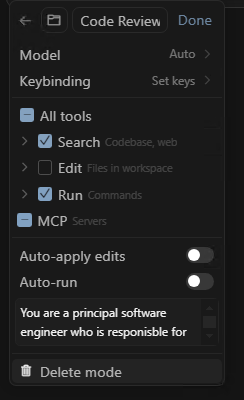
With your prompt saved you can now switch to it at any time and simply ask it to perform a code review.
Thanks to @freerangeggs for sending me down the track of looking into this after Custom Modes became available in VS Code ⭐
There is also a community let Github repo (https://github.com/github/awesome-copilot/tree/main/chatmodes) with some custom mode prompts that you might find useful. This repo is geared toward Github Copilot but the prompts could be used in Cursor in much the same way.
 Cameron Dwyer
Leave a comment