Over the years, I’ve come to rely heavily on Microsoft To Do as my daily task manager. It’s simple, it syncs across devices, and it integrates nicely with the rest of Microsoft 365. But like many tools we use every day, it has its limits—and I recently ran headfirst into one.
I had accumulated thousands of completed tasks in To Do. At first, I didn’t think much of it. Completed tasks are tucked away, out of sight, and I assumed they weren’t doing any harm. But as the numbers grew, I started noticing some serious performance issues. The To Do client on my iPhone would hang or crash. The web UI wasn’t much better. What should have been a quick check-in on my tasks turned into a frustrating waiting game.
It became clear that completed tasks weren’t being handled efficiently by the client. And since To Do doesn’t provide a built-in way to bulk delete completed tasks, I was stuck. That’s when I decided to roll up my sleeves and build a solution.
The Solution: M365 To Do Maintenance Tool
I’ve created a C# command line utility called the M365 To Do Maintenance Tool. Its purpose is simple: clean up completed tasks from your Microsoft To Do lists. By permanently deleting them, you can dramatically improve performance and stability in the To Do clients.
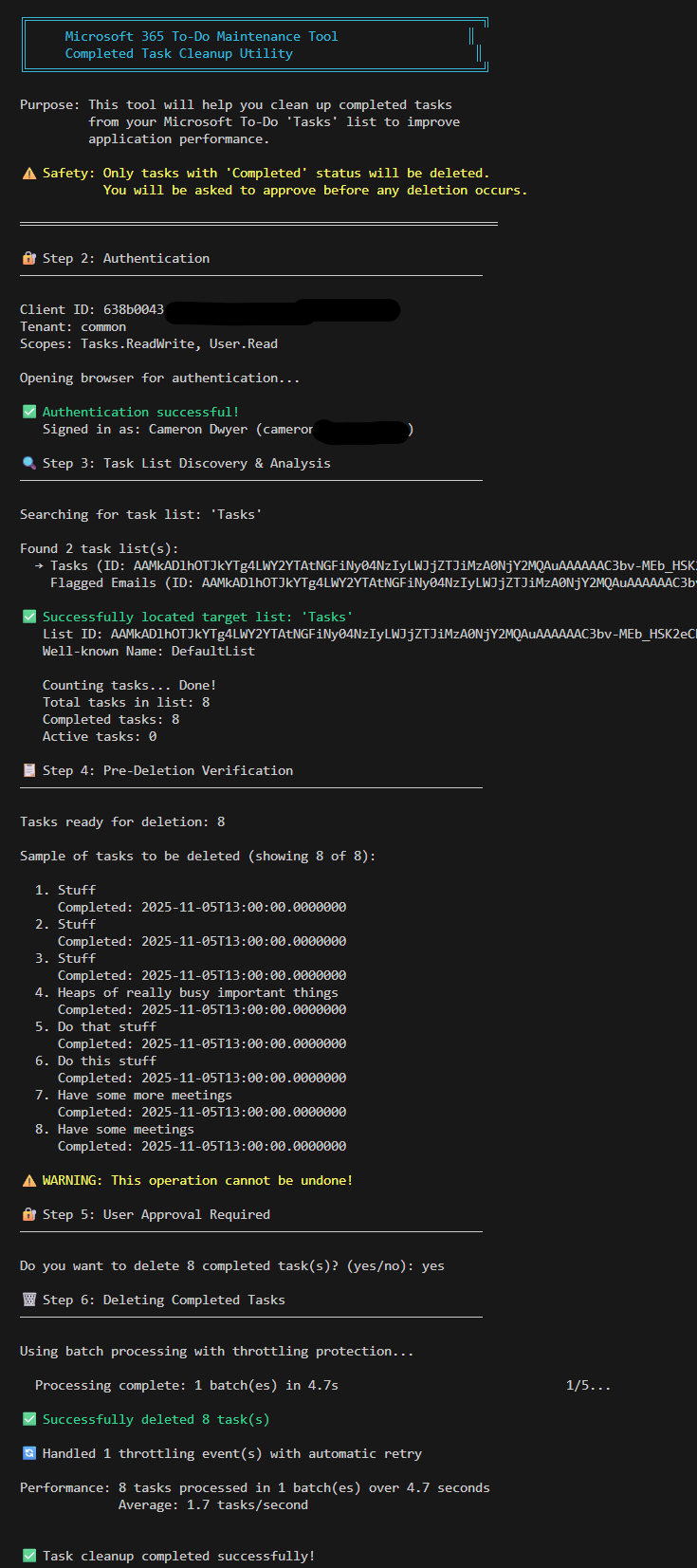
The tool connects securely to your Microsoft 365 account, you configure it for the task list you want to clean, and then it gives you the option to delete all completed tasks. It uses batch processing with throttling protection, so it’s safe to run even if you’re dealing with thousands of tasks.
Here’s a quick look at the experience of running it:
Why I Built It
This project came out of necessity. I needed a way to make To Do usable again without manually deleting tasks one by one. Once I had the tool working for myself, I realised others in the community were likely facing the same problem. So I’ve published it on GitHub for anyone to use.
Get Started
You can find the full source code, instructions, and usage details in the GitHub repository here:
👉 M365 To Do Maintenance Tool on GitHub
The README walks you through setup and usage step by step. If you’re comfortable with command line tools and have access to create app reg in Entra ID, you’ll be up and running in minutes.
 Cameron Dwyer
Leave a comment