If you’ve been fielding complaints from users who miss the old Outlook for Windows, there’s a change rolling out that might go a little way towards helping ease the pain.
Microsoft has announced (Message Center post MC1458476, published 21 August 2026) a new optional setting for Outlook on the web and the new Outlook for Windows that adjusts the look and feel to more closely resemble classic Outlook.
Why this exists
Microsoft is pretty clear with the intention of this change. It’s a transition aid. A lot of organisations are still mid-migration from classic Outlook for Windows to the new Outlook, and for plenty of users the jump in visual style is one more friction point on top of everything else changing under the hood.
What this isn’t
It’s purely a visual/interaction layer sitting on top of new Outlook, this doesn’t change any functionality or feature of New Outlook so it won’t help with any real functionality parity issues you are juggling with the move to New Outlook.
The details
- It’s a setting under Settings > General > Appearance, available to all users on
- Outlook on the web
- New Outlook for Windows
- It’s off by default for most people — new Outlook stays new Outlook unless someone chooses otherwise.
- Users actively migrating from classic Outlook to new Outlook may get it turned on for them by default, as part of that transition experience. They can still switch it off.
- Users can toggle it on or off at any time.
- Rollout is global, in the usual two waves: Targeted Release from mid-August through late September 2026, then General Availability from late September through late October 2026.
- No admin action required — there’s no tenant-level control mentioned here, it’s an end-user toggle.
- This change does not modify mailbox data, permissions, organizational settings, or existing Outlook functionality.
- This change does not affect or override administrator controls governing migration to or availability of the new Outlook.
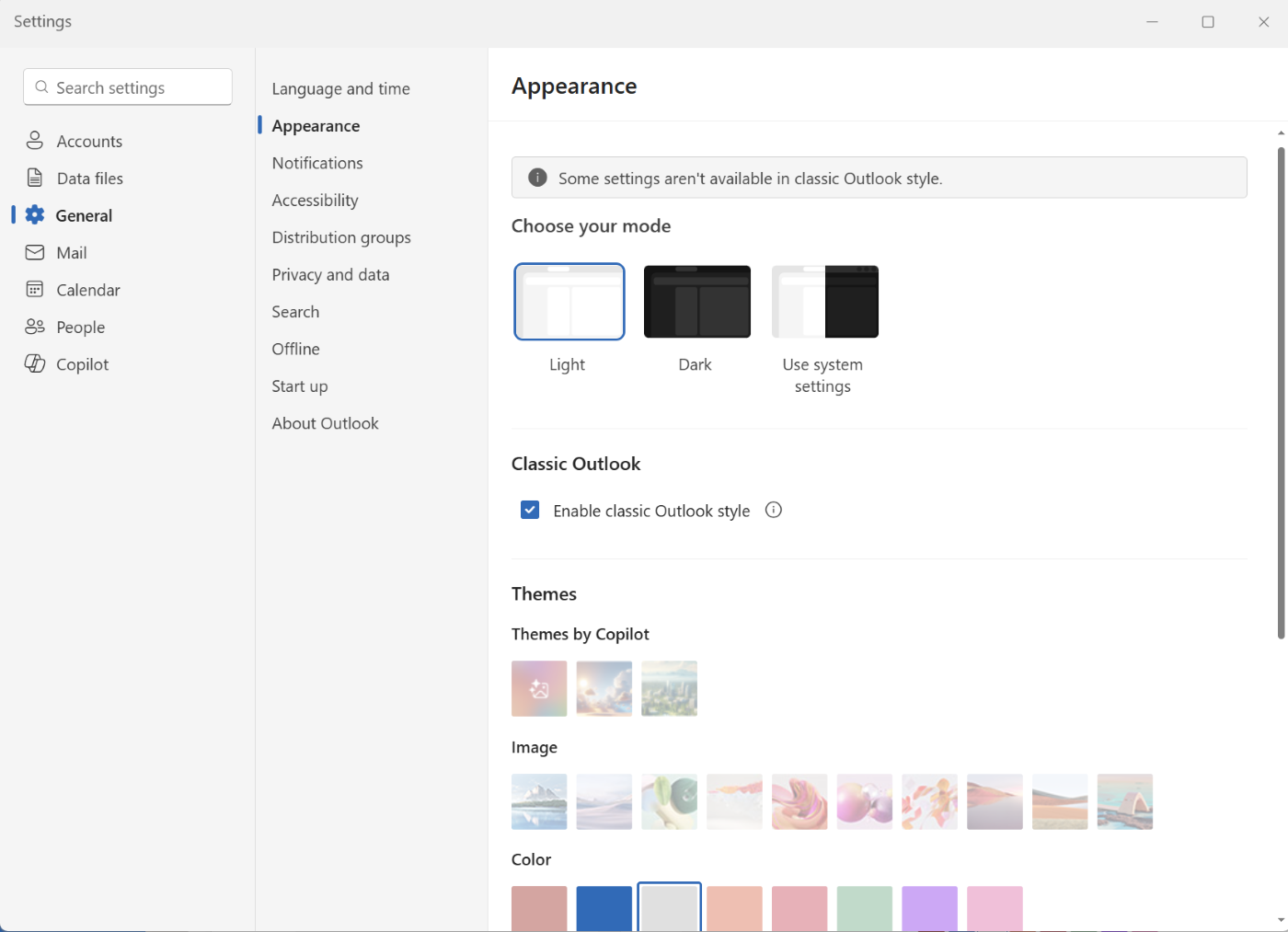
If your organisation is deep in an Outlook migration and user pushback on “it doesn’t look like Outlook” has been a recurring theme, this is a genuinely useful lever to have.


Leave a Reply